Showing posts with label Lightroom mobile. Show all posts

Tuesday, April 9, 2024

Send images to Social Media

This isn't for all since I use the Adobe Ecosystem.

One way for Lightroom Classic users. A way, actually my way.
1. Set-up Lightroom Classic to sync. This only enabled syncing.
2. Create a collection you would like to sync with the Adobe Cloud. Perhaps name your collection "Social Media Sync".
3. Enable sync for this collection.
4. Add images to the collection.
 *** Note: using Sync smart views are sent to the cloud and they don't count against your plan.

I chose to use Lightroom Mobile so this is my chosen workflow 


Select photos you want to send to social media.
I picked the waves.
Click on the share icon
now you can scroll through the available apps on your phone. 

I'll choose Instagram.
I click feed and now I'm in Instagram and make those options you desire. For example.


That's my way. Other choices are exercises for the students.

Sunday, September 10, 2023

5 Tips For Taking Better Photos With Any Mobile Device

I didn't follow my own advice. I read the article and thought my pixel 6a is better s better than ditching the default camera.

Then after going through the the various settings I found the article is 4 years old. In camera years that could be 4 thousand years. My Google Pixel 6a is not that old. I do have another camera app that is included with Lightroom mobile that has a few additional features. 
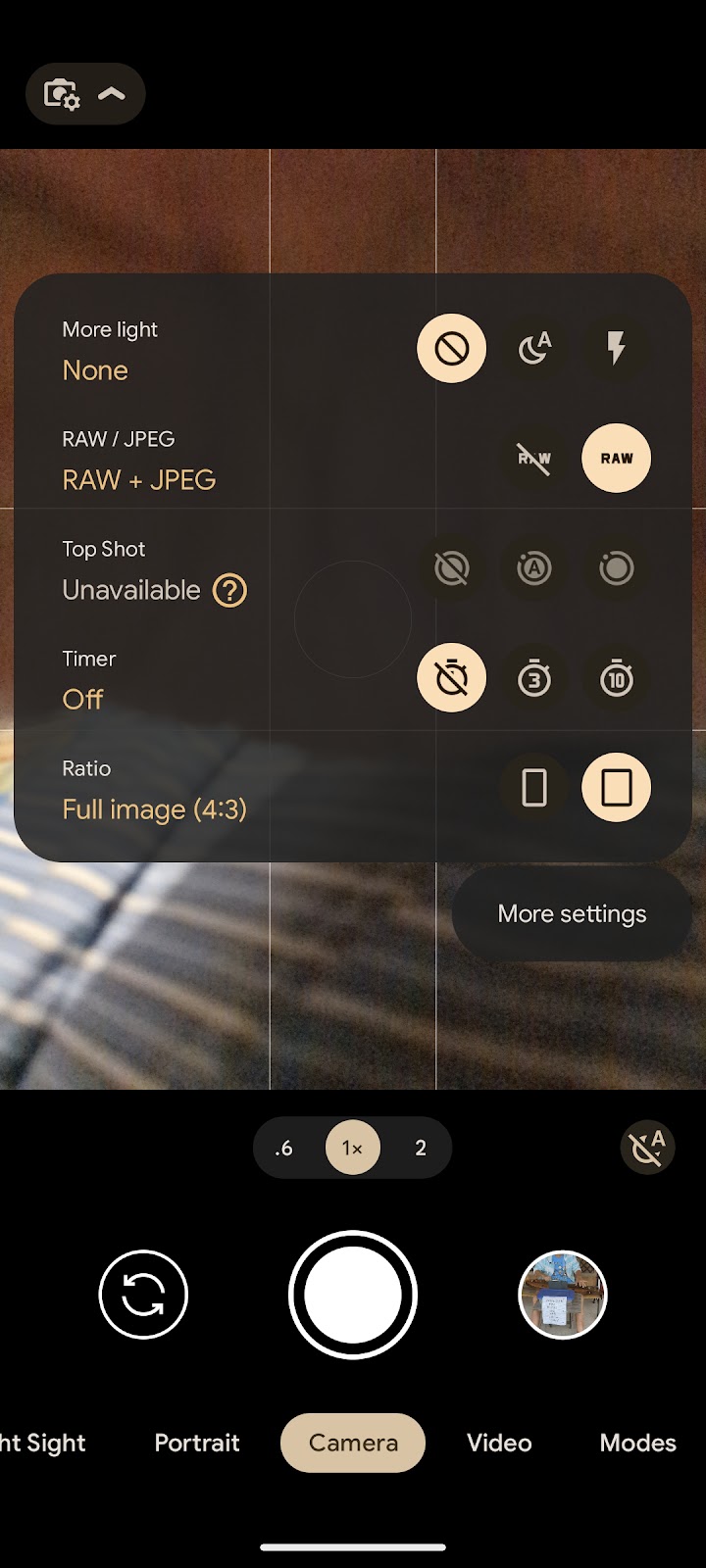
Following are a few screenshots of the settings on my pixel.

Actually I also use the camera include with Lightroom Mobile. You can download Lightroom Mobile for free but it is not as full featured as those that have a subscription, 

Additionally most allow you to take a RAW file, usually a DNG file. Both are "digital negatives" because they need to be processed, basically "Developed".


i can tell how to reach the settings on my phone but your phone is likely different.

Screenshots from my Lightroom mobile camera.

Sunday, July 30, 2023

Lightroom for iPad, it's free

 Those that have an Adobe subscription already know it's not free. For those that are not subscribers you can use iPad App Store to download the application. Once you bypass the subscription page you are on.


The Free version have several features that are not available and are noted a blue *. The main thing is the the masking features. Following are a few screenshots with comments. I have not viewed all icons and can't discuss them.


Note that the masking options have the blue *, you need to subscribe to get them. Click on the i on the lower right and you see the next image.


Here you can add Title, Caption, Copyright, stars and flags to your image.


In the above image I added the Histogram to the display. 

You need to take some time to see what the other icon's do.


Sunday, July 16, 2023

Edit Replay using Lightroom mobile

I frequently enable share photos by using Lightroom classic collection sharing. I them use Lightroom mobile to share them to various social media or others.

One of the features available on Lightroom mobile are to create an "Edit Replay" following is an example